Every time a report is run (generated) from a template, Xporter will:
- Retrieve all the latest data from Shopify, according to the filters specified in the template
- Perform any calculations and formatting
- Save the report file to your Saved Reports, upload via FTP or send via emai
In most cases, smaller reports will be generated immediately and will appear in your Saved Reports
Larger reports can take some time to download from Shopify. Click here to read about using filters to reduce the report size and run time. If you have a report running, or multiple reports queued, you will see the "Queue Card", pictured below.
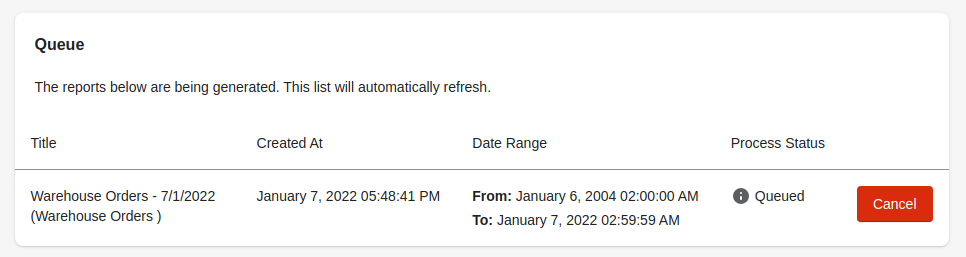
Each entry in the queue represents a report waiting to run, and displays the report's name, when it was requested, and the date range used in the filters if applicable.
Processing Statuses:
- Queued: Your report is waiting to be processed
- Processing: Your report is being actively worked on
Limits:
Customers on the Professional and Essentials plan can schedule an unlimited number of reports based on their plans (hourly for Professional and daily for Essentials). All customers can manually run reports, and are limited to 4 manually queued reports at a time.
During especially busy periods, or if Shopify is returning data slower than usual, reports may be queued for a few minutes before being picked up by our system. Rest assured we are constantly monitoring our queues and adding computing resources as needed.
If you have any questions or need help with this or any topic, please dont hesitate to click the chat button or submit a support ticket