We are pleased to share this preview of the completely redesigned Xporter user interface which we hope will significantly improve your experience creating and running reports.
The upgrade will take place on February 8, 2022 from 10am-12am EST during which the app will not be accessible. All scheduled reports will still run as normal, and existing templates and reports will not be changed.
After the upgrade, all saved reports and custom templates will be available in our new user interface, which will not affect your reports in any way. Formatting options, schedules, and all other properties of your template will not be modified during this process, and no changes will be seen in your report files.
Below, we will go over some of the changes and provide links for more details.
Home Screen
The first thing you'll notice is that Xporter is now embedded in your Shopify admin panel, and makes use of the same familiar design components as the rest of the Shopify admin.
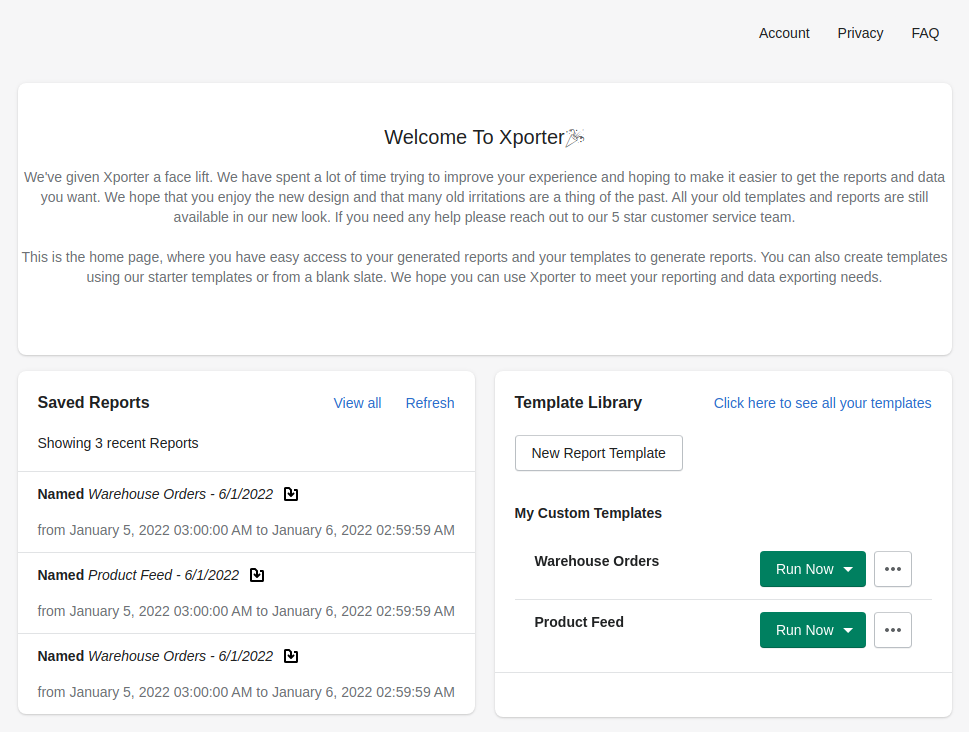
The new home page allows quick access to download recent reports, run a new report, customize your templates and view any queued reports.
|
Saved Reports displays recently run reports and allows for quick downloading. Expanding this panel takes you to our new report management page where you can now search and filter your reports |
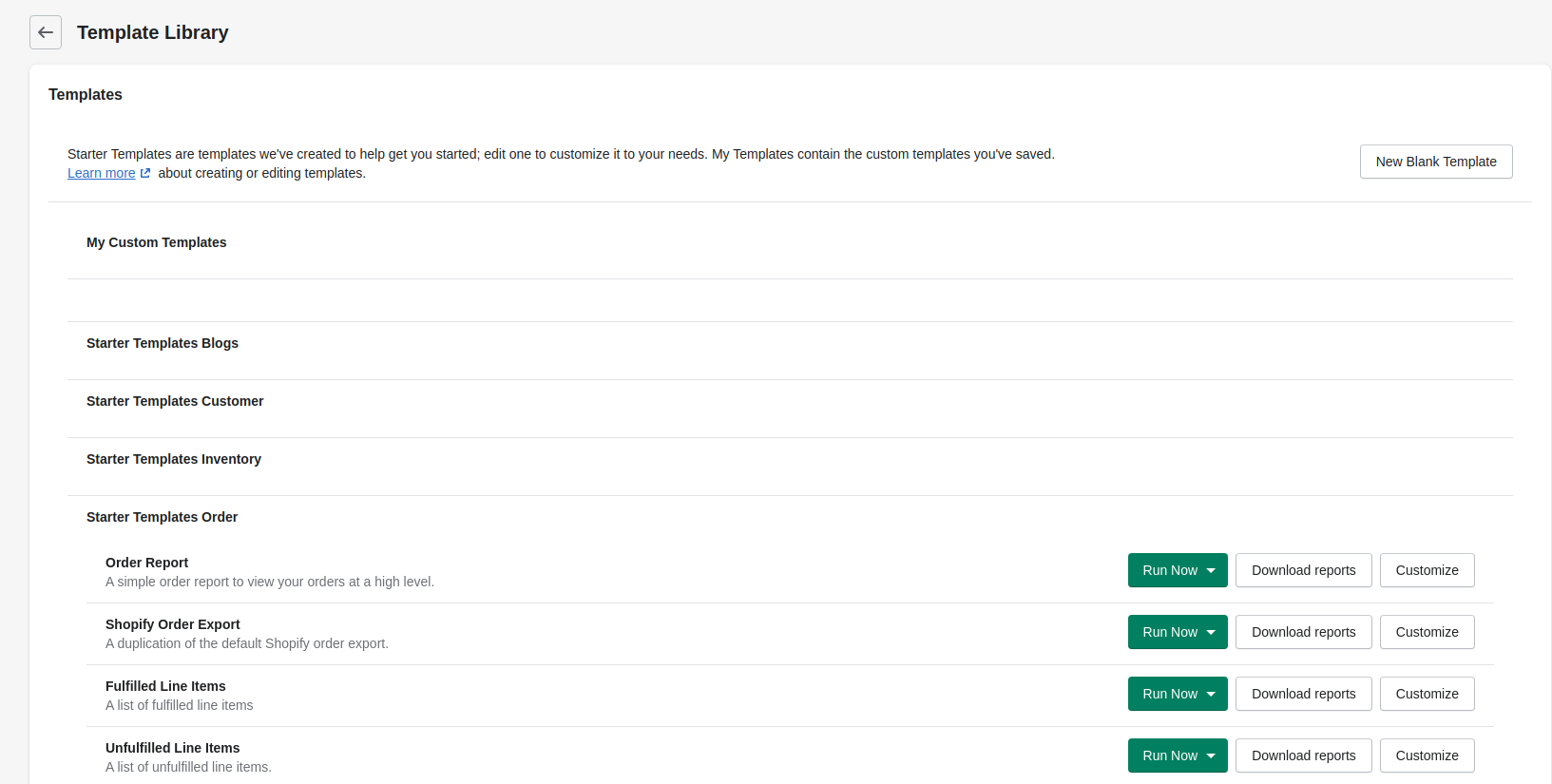
Template Library shows your custom templates and allows you to quickly run a report, or enter our new template editor. Expanding this panel take you to the full Template Library, including our helpful new Starter Templates |
Report Queue
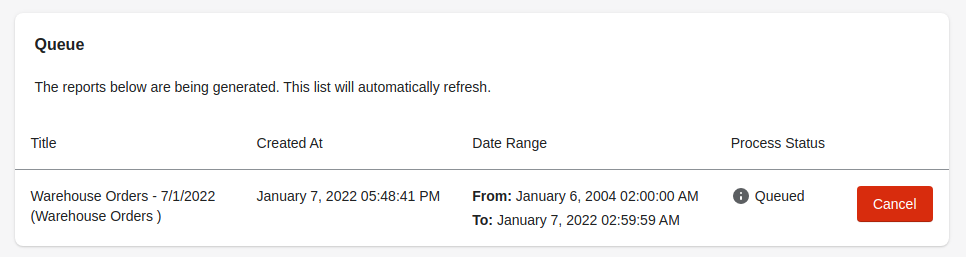
If any reports are queued, you will see them in the below screen which appears on the home page as well as in your Saved Reports. Click here to read about Xporter's queuing system
Saved Reports (click learn more)
Recently run reports are available to quickly download directly from the home page.
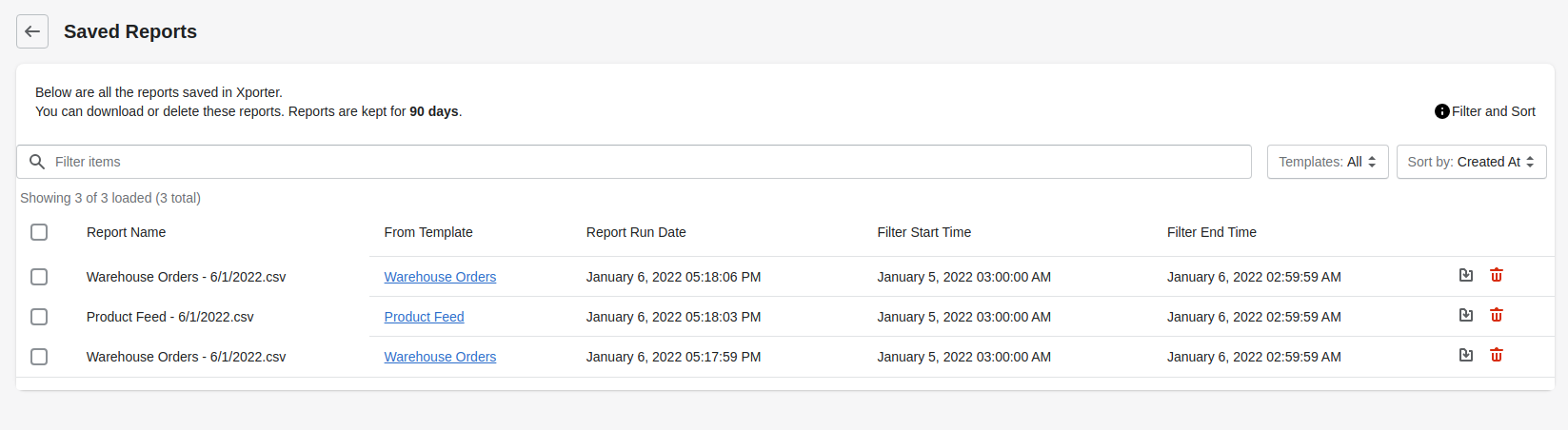
Expanding the Saved Reports pane allows for several new management options:
- Search for reports by any text
- Filter reports by the template used to generate it
- Sort by created date or template
- Select and delete multiple (or all) reports
Template Library
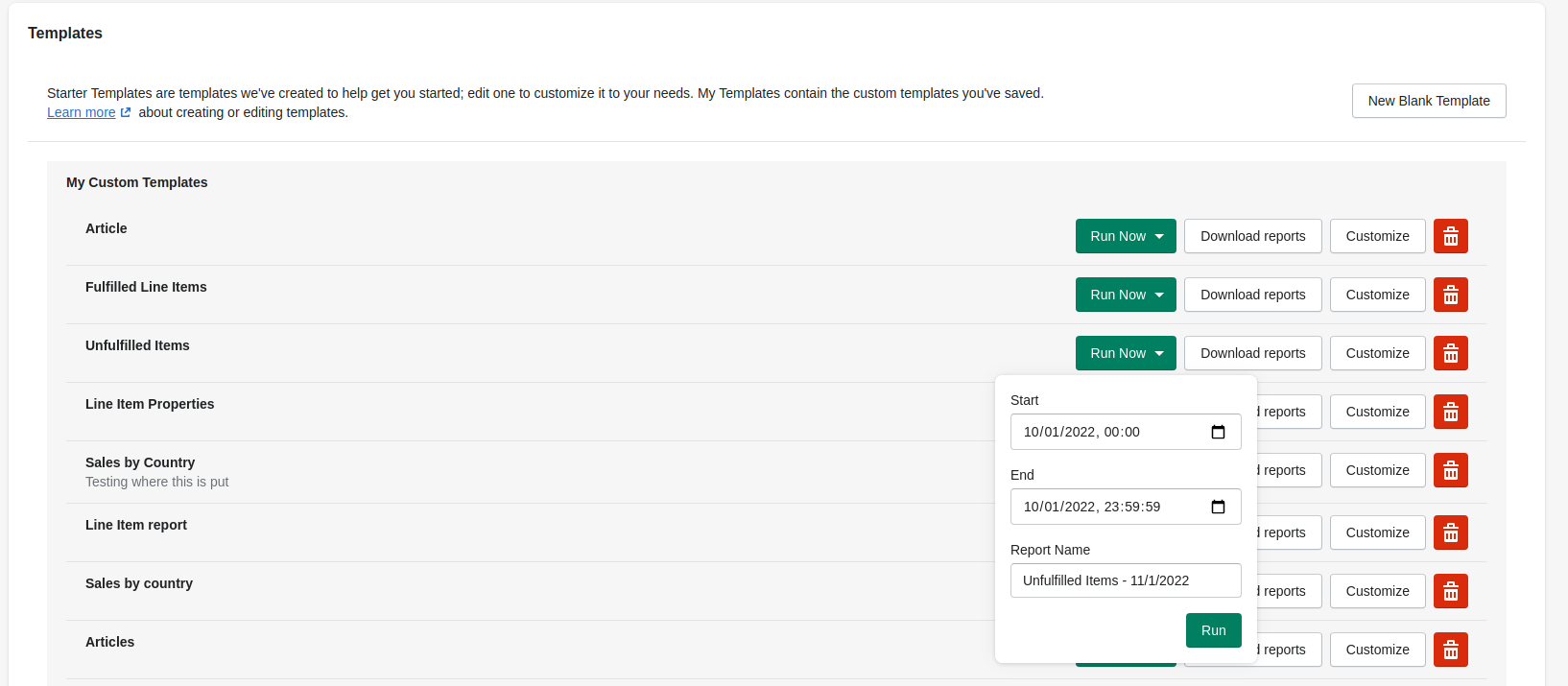
In the expanded Template Library, you can run a new report, download related saved reports, customize or delete any of your templates.
Starter Templates
Starter Templates help you get started quickly by providing a set of common templates you can run as-is or customize to your needs. They are organized by the type of data, such as Orders or Customers, and are presented in expandable folders below your custom templates.
Template Editor
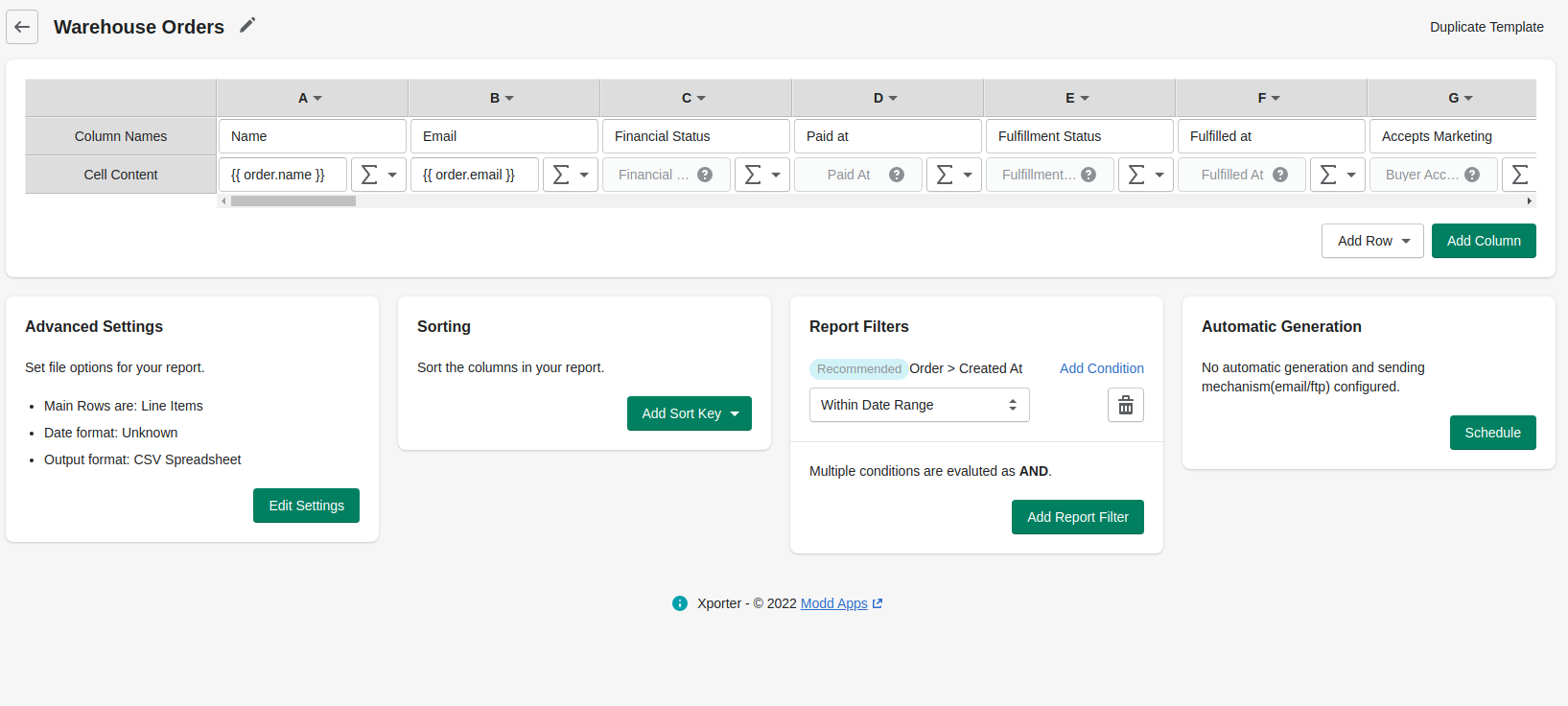
The biggest change is the new template editor. We've worked to put everything on one screen, in a spreadsheet format that represents the structure of a report. Everything is still there, but presented in sub-menus and pop-ups, like our new field browser.
Field Browser
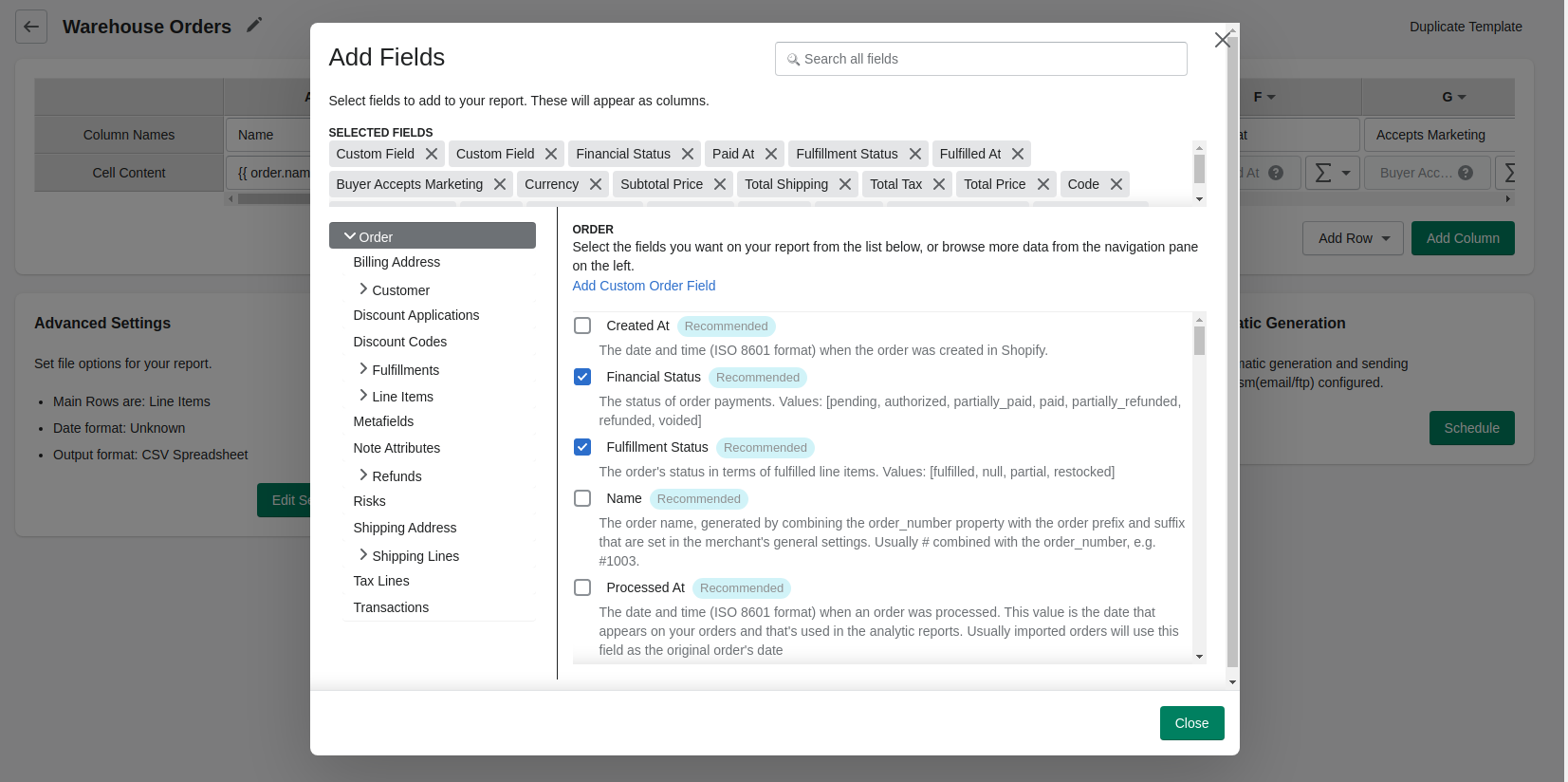
Another big improvement is in the field browser. This gives you an easy view to search and explore all of the Shopify fields and calculations available to your template. You can use the object browser on the left side to view the different types of data, and search the field list to find exactly what you're looking for. We've added helpful description text to each field to help you ensure you find what you're looking for, and soon we will add preview data so you can see exactly what you'll be getting.
There's lots more in this release, like much improved support for editing Liquid, and a lot more being worked on. Please don't hesitate to share your feedback with us by submitting a ticket above!